Add Birthday Background To Your Photos
Transform your photos with a birthday background and make your celebration moments unforgettable using our AI Birthday Effect.
Sample Examples of AI Birthday Effect
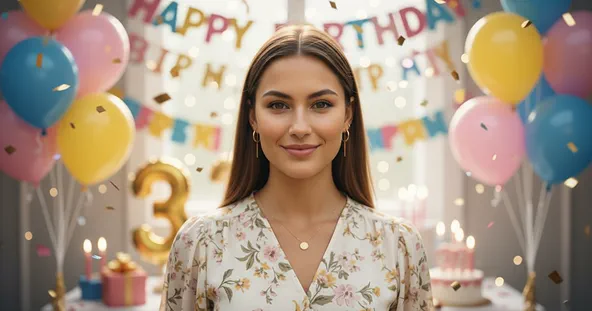

How to Add Birthday Background to Your photos?
Upload Your Photo
Upload a high-quality photo you want to make festive. A clear image of the birthday person works best to create a perfect party scene!
Generate Image
After the photo is uploaded click on the “Generate” button to apply Add Birthday Background to Photo to your photo.
Download and Celebrate
Once your new birthday photo is ready, download it and share the joy with friends, family, or post it on social media to celebrate!
Why You’ll Love Our Add Birthday Background to Photo
Instant Results
Upload your photo and get your new birthday background image within seconds. No editing or design skills are needed—the AI handles everything for you.
Secure & Private
Your privacy is our top priority. Every image is processed securely, ensuring your data remains confidential and is never shared with third parties.
User-Friendly Interface
Our simple, intuitive design makes the birthday background tool easy for everyone to use, even if you have no technical experience.
High-Quality Outputs
Receive professional-grade results with exceptional clarity, detail, and color accuracy in every photo with an added birthday background.
Try More Popular Image Effects

What People Say about us
Sophia
Content Creator
"This tool is a lifesaver! Adding a festive background to my son's birthday photo was so quick and easy."

Liam
iOS user from UK
"I love the variety of birthday backgrounds available. Max Studio made it super simple to create a personalized birthday greeting."

Eleanor
Digital Artist
"The results look so professional. The background blended perfectly with my original photo, and it looked amazing."