AI Ghost Filter
Make your photos look like the scariest spooky ghost with Maxstudio's AI ghost filter.
Explore the Visual Results
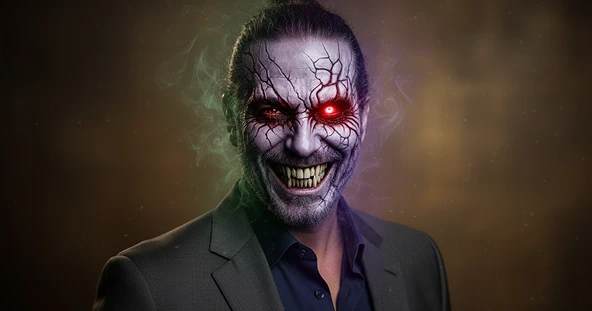
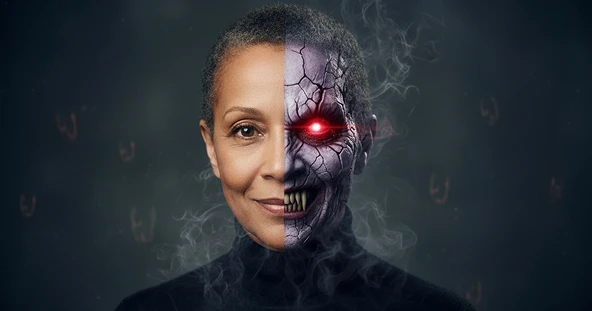
How AI Ghost Filter Works?
Upload Photo
Upload a photo from your device to create a ghost image, and make sure the photo you upload is high quality.
Generate Image
Choose the AI Ghost Filter, then click the “Apply Image Effect” button. The AI will instantly give your photo a spooky, scary appearance.
Download & Share
Download your ghost image to your device and share it on your favorite social media platform.
Why Our AI Ghost Filter?
High-Quality Outputs
Enjoy professional-grade results with exceptional clarity, detail, and color accuracy in every AI Ghost Filter output.
Free Download & Share
Instantly download and share your AI-generated creation for free, without sign-ups or extra steps.
Secure to Use
Your privacy is our top priority. Every image is processed safely, ensuring your data remains confidential and never shared with third parties.
Simple to Use
You don't need any special editing skills to add a ghost to your picture. Only upload your photo, and our tool does all the work for you. The interface is clean and straightforward for everyone.
Check Out Other Trending Image Effects
What People Say About Us

Liam
Digital Creator
"The AI Ghost Filter is so much fun to use. It gave my photos a spooky, scary ghost makeover in seconds — and the results look so realistic!"
Sophia
Social Media Manager
"I love how easy this tool is. I just uploaded my photo and instantly got a creepy ghost version of myself. Perfect for Halloween content!"

Noah
Web User from UK
"Such an amazing ghost filter. The effects are spooky, scary, and super high quality. I keep coming back to make more edits!"