Add Birthday Hat to Photo
Place a birthday hat on your photo and make your celebration moments truly memorable with our AI Birthday Hat Effect.
Birthday Hat Photo Edit – Sample Results
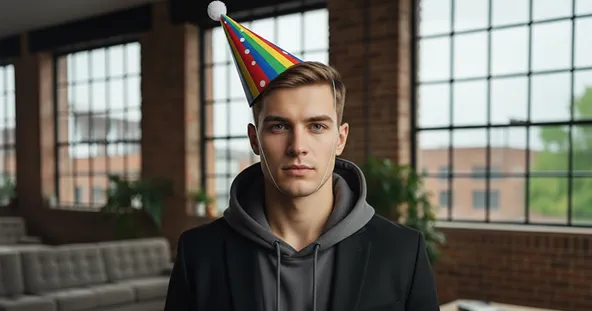

How Add Birthday Hat to Photo Works?
Upload Photo
Select & Upload photos from your device to apply Add Birthday Hat to Photo, and make sure uploaded photos must be in high quality with a well-lit background.
Generate Image
After the photo is uploaded click on the “Generate” button to apply the birthday hat effect to your photo.
Download & Share
Download your generated Add Birthday Hat to Photo to your device and share it on your favorite social media platform, and with your friends and family.
Why You’ll Love Our Add Birthday Hat to Photo
User-Friendly Interface
Our simple, intuitive design makes the Add Birthday Hat to Photo tool easy for everyone, even without technical experience.
Instant Results
Upload your photo and get Add Birthday Hat to Photo style visuals within seconds. No editing or design skills needed — the AI handles everything.
Secure and Private
Your privacy is our top priority. Every image is processed safely, ensuring your data remains confidential and is never shared with third parties.
High-Quality Outputs
Enjoy professional-grade results with exceptional clarity, detail, and color accuracy in every Add Birthday Hat to Photo output.
Discover Other Popular Image Effects



What People Say about us

Emma
Content Creator
"This tool is a lifesaver for quickly adding a festive touch to my posts. Max Studio made it so easy to add birthday hats in just a few clicks!"

Lucas
iOS user from UK
"Super fun and simple! I used it to make a funny birthday picture for my friend's group chat, and everyone loved it."

Chloe
Graphic Designer
"The quality is surprisingly good for a quick online tool. The hats blend in well without looking fake or cheesy."