Add 1970s Filter To Your Photos
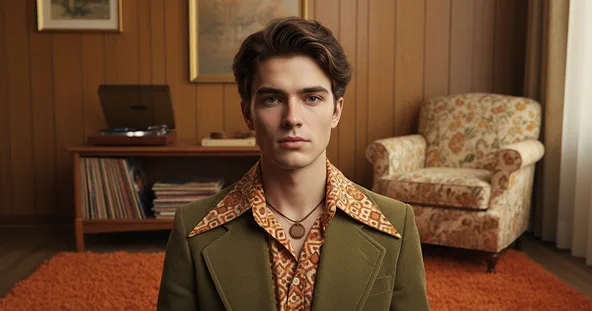
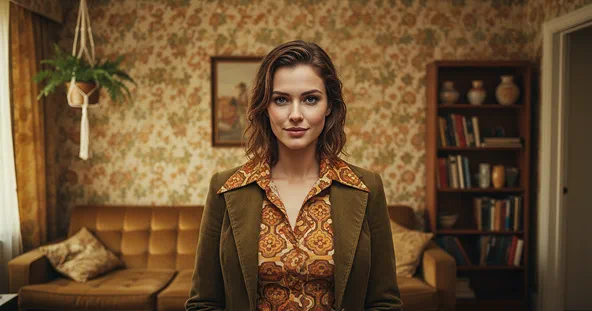
Free 1970s Filter gives your photos a retro look with warm colors, faded tones, and vintage film texture from the 1970s, quickly creating a classic old-photo style.
Examples Of 1970s Filter
How Does It Work?
Upload Image
Start by uploading a clear photo that you want to transform. For best results, use a high-quality image with good lighting and a clear subject.
Generate Image
Click the “Apply Image Effect” button. The AI will instantly apply a warm, grainy, retro look reminiscent of vintage film photography.
Download & Share
Once your 1970s Filter is ready, you can download it to your device or share it with friends.
Why You’ll Love Our 1970s Filter
High-Quality Outputs
Enjoy professional-grade results with exceptional clarity, detail, and color accuracy in every 1970s Filter output.
Free to Use
Access all features at no cost. There are no hidden fees — just unlimited creativity with zero restrictions.
Instant Results
Upload your photo and get 1970s Filter style visuals within seconds. No editing or design skills are needed, as the AI handles everything.
Secure and Private
Your privacy is our top priority. Every image is processed safely, ensuring your data remains confidential and is never shared.
What People Say about us
Olivia
Content Creator
"This 70s filter is my absolute favorite. It gives my photos the perfect vintage look without much effort."

Ethan
iOS user from UK
"Love this filter! It's super easy to use and makes my pictures look so cool and nostalgic. Definitely the best one in the Max Studio pack."
Sophia
Visual Storyteller
"The warm, grainy feel from this filter is just what I needed for my storytelling projects. It instantly adds so much character."